The VibeWatch node
32 motion sensors, a clock kept by GPS and a Raspberry Pi. Built to sit on a floor and listen to the ground.
$250expected price, not on sale yet
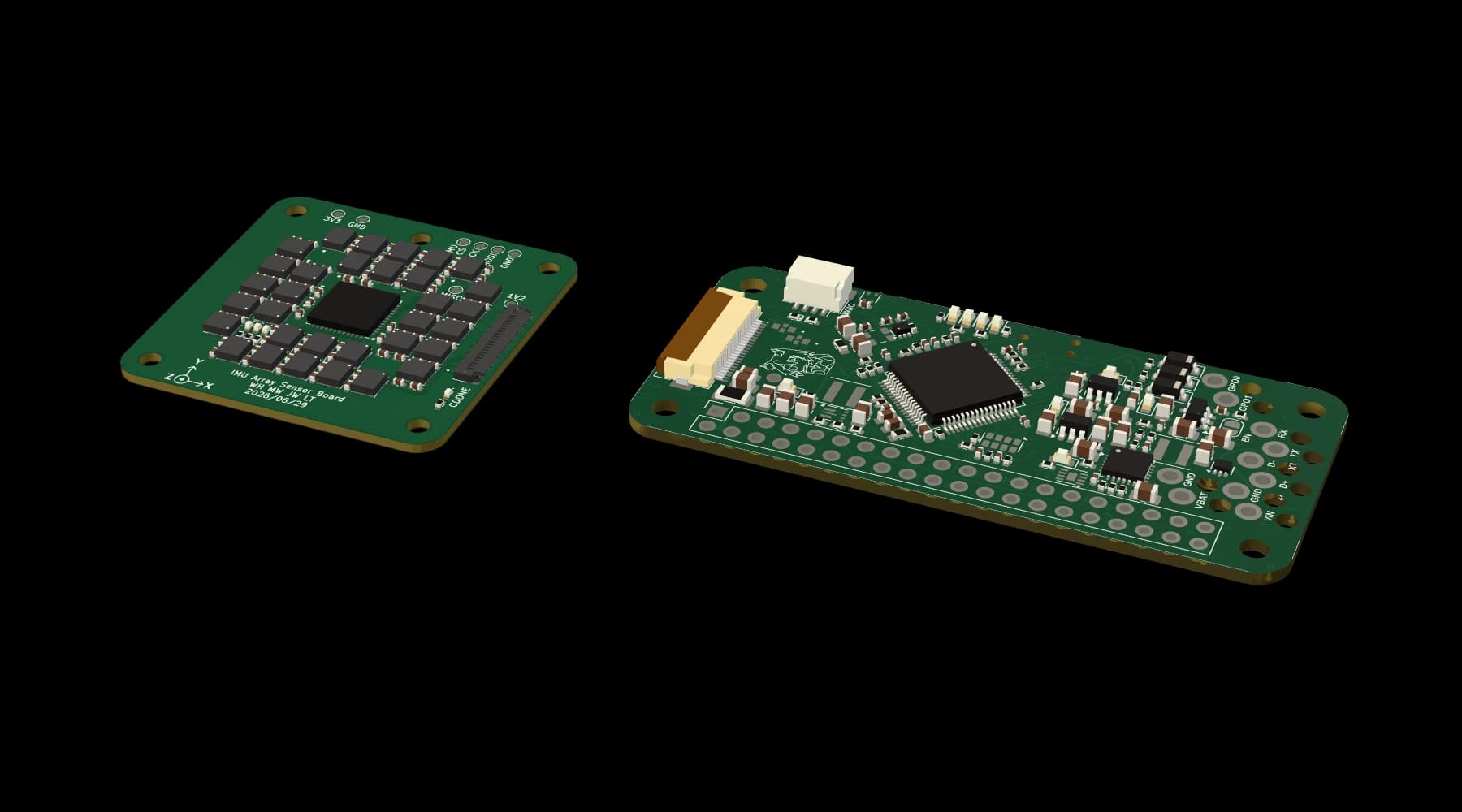
Two boards and a Raspberry Pi.
The sensor board listens. The carrier board turns 32 readings into one, with the time attached. A Raspberry Pi 3A+ keeps the recording and sends it home over Wi-Fi.
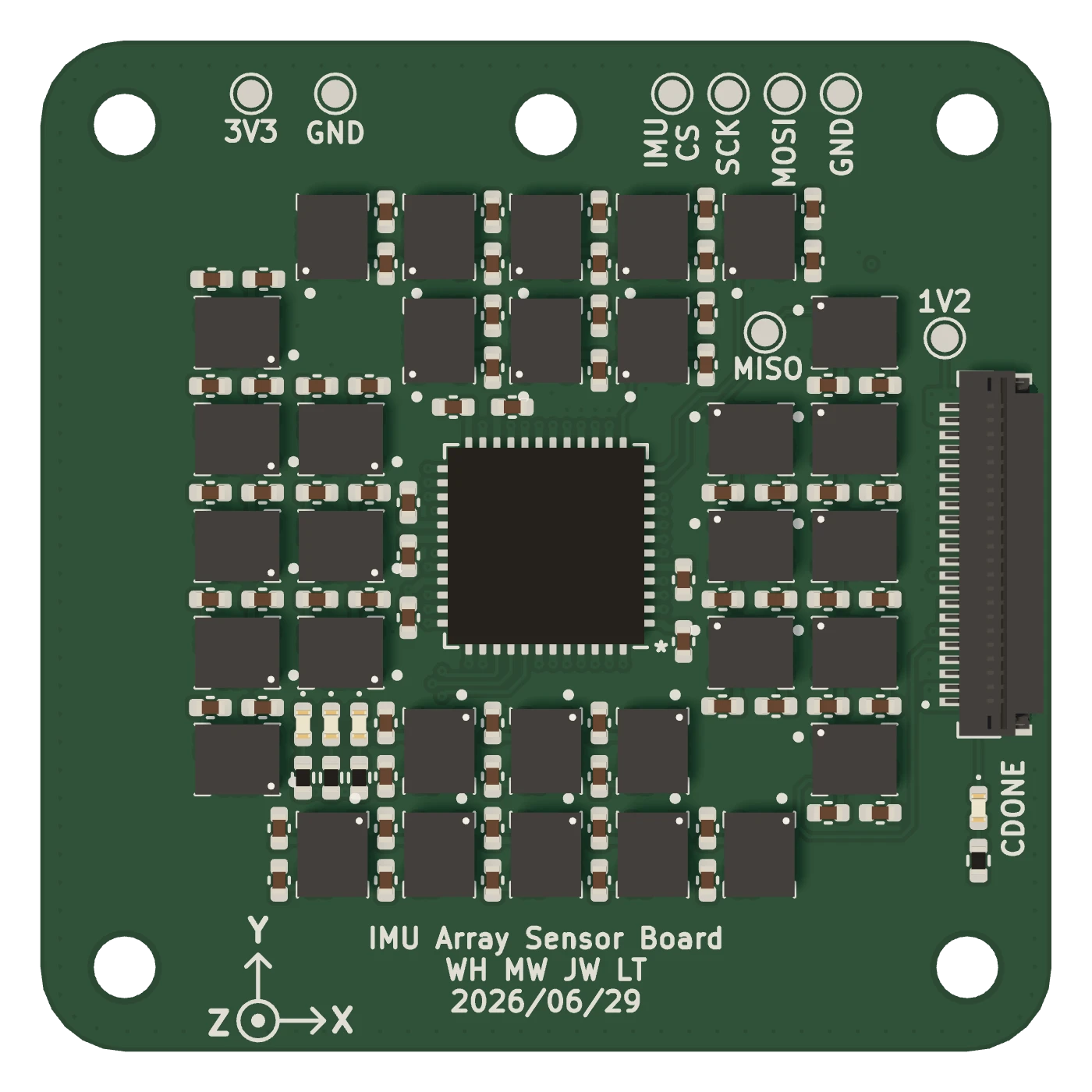
Sensor board, 36 × 36 mm
- 1
32 motion sensors
ICM-42631s, each an accelerometer and a gyroscope, packed into a 36 mm square.
- 2
An FPGA that reads them all at once
A Lattice iCE40 collects all 32 in parallel, so none waits its turn.
- 3
One flat cable out
The readings leave as a single 512-byte block to the carrier board.
Carrier board, 65 × 30 mm
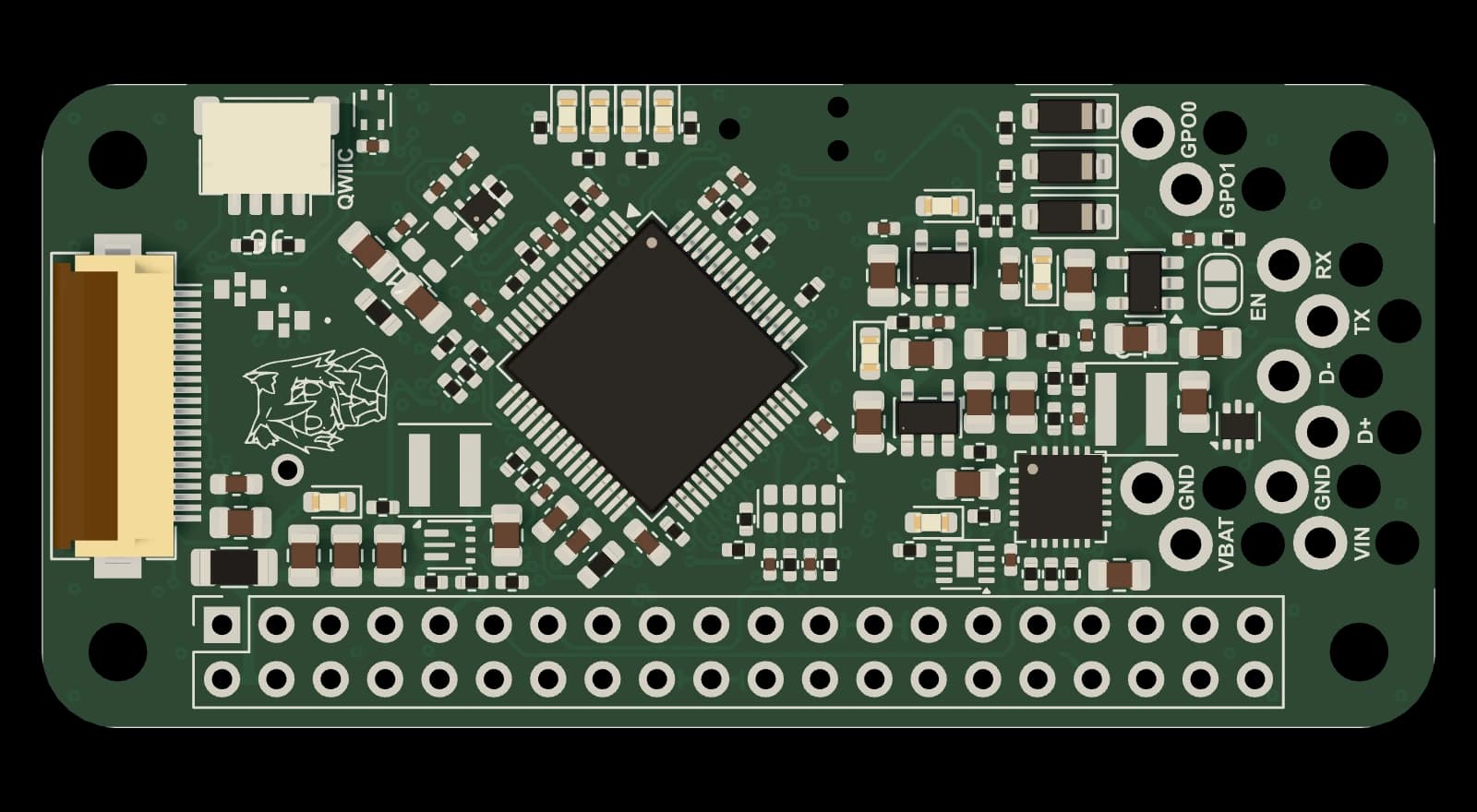
Calibrate, average, timestamp
An STM32G474 corrects each sensor, averages them, and stamps the result up to 2,000 times a second.
Battery power
Charging and power management for its battery, so it can run away from an outlet.
From the sensor board
The other end of the flat cable.
On the underside, a u-blox GPS receiver steers the board's 40 MHz clock, so every node keeps the same time and recordings from different places line up.
4×quieter
Four times quieter than one of its own sensors.
Measured alone, one of the board's sensors has a noise floor of 52 µg/√Hz. Averaged, all 32 come in at 12.6 on the vertical axis and 10.6 on the horizontal ones, level with what the sensor's datasheet predicts for an average of 32.
- One sensor, its datasheet figure70
- One sensor, as measured (vertical)52
- Datasheet figure ÷ √3212.4
- 32 averaged, vertical axis12.6
- 32 averaged, horizontal axes10.6
Specifications
Sensing
- Sensors
- 32 × TDK ICM-42631, accelerometer and gyroscope
- Range
- ±2 g and ±15.625 °/s
- Sample rates
- 50, 100, 200, 500, 1,000 or 2,000 per second
- Noise floor
- 10.6 to 12.6 µg/√Hz, measured at rest, 10 to 100 Hz
Timing
- GPS
- u-blox MAX-M10N
- Clock
- 40 MHz oscillator, disciplined by GPS
- Backup
- RV-3028 real-time clock
Processing
- Capture
- Lattice iCE40 FPGA reads all 32 sensors in parallel
- Averaging
- STM32G474 calibrates, averages and timestamps on the node
- Host
- Raspberry Pi 3A+: storage, Wi-Fi and uploads
Setup and power
- Pairing
- Over USB, from a laptop or desktop browser
- Power
- USB input, with a battery for running away from an outlet
- Also on board
- Temperature and humidity sensor
- Boards
- Sensor 36 × 36 mm, carrier 65 × 30 mm
There is no enclosure yet.
Apply
Tell us where it would go. The first nodes go to hosts spread across the map, so the network covers ground instead of bunching up.
Pair
Plug the node into a laptop or desktop with its USB cable and add it to your account from the browser. Phones and tablets cannot pair one.
Place
Set it on a hard floor, as low in the building as you can, near an outlet and within Wi-Fi range. From then on it records by itself.
Questions
Can I buy a node?
Not yet. The first nodes go to hosts who apply, at an expected $250 each.
What does a free account get me?
The live globe of every node shared with you, and playback of their recordings, including every public node. You can apply to host from the same account.
What does a node need?
A spot on a hard floor, ideally a ground floor or basement, with a power outlet and Wi-Fi in reach. You also need a laptop or desktop computer to pair it over USB.
Can I set it up from my phone?
No. Pairing is done over USB from a computer's browser, and phones and tablets cannot pair a node. Once it is paired you can view it from any device.
Who can see where my node is?
You choose who sees the node and its recordings: only you, your team, or everyone with an account. Public nodes are also listed without sign-in by nearest city and status, and may appear in search results. Their names and exact positions are never shown in that list.